Windows 11 May Update: Xbox Mode & AI Taskbar Lead 11 Key Changes
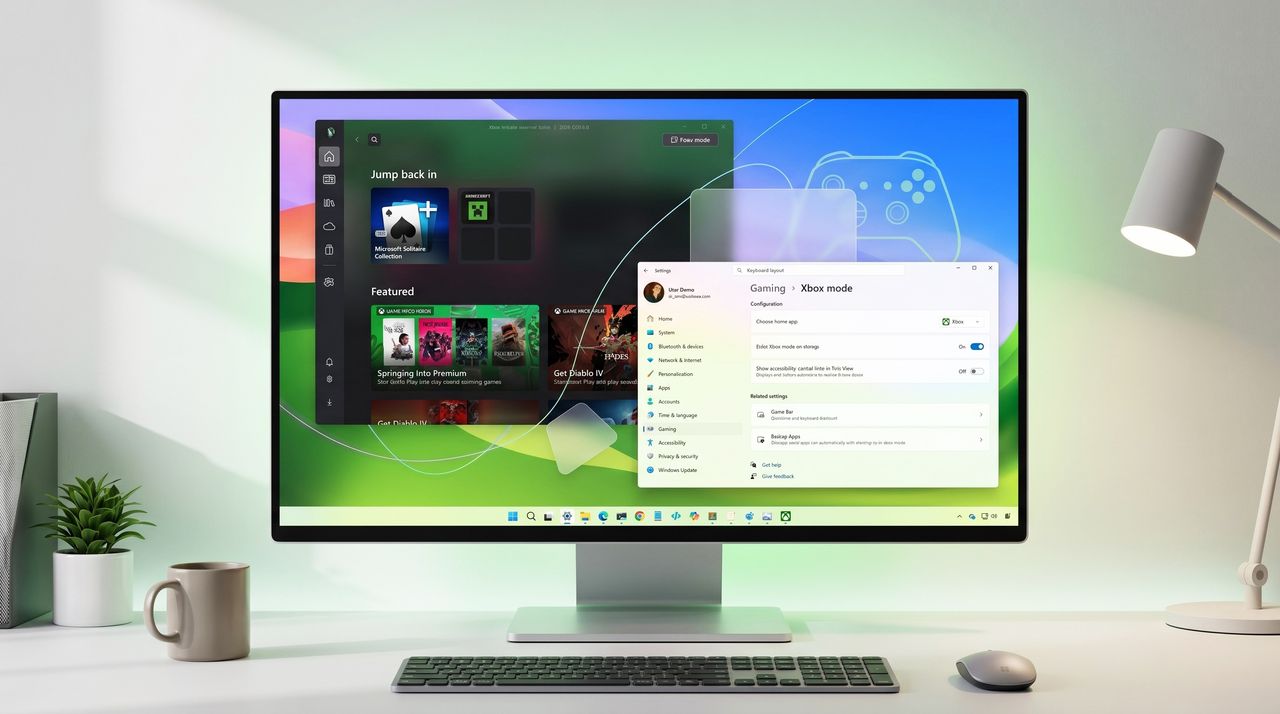
Windows 11 May 2026 Update: A Game-Changer with Xbox Mode and AI Taskbar
According to recent reports, the May 2026 update for Windows 11 is rolling out with 11 significant upgrades that could transform how users interact with the operating system. The standout feature is undoubtedly the new Xbox mode, but there are several other enhancements, including an AI-powered Taskbar and critical security improvements that demand attention.
Xbox Mode: The Headline Feature
Xbox mode is being hailed as the most impactful addition. This feature optimizes system resources for gaming, providing a seamless console-like experience on PC. It automatically adjusts background processes, prioritizes GPU performance, and integrates with Xbox Game Pass for instant access to titles. For gamers, this could be the reason to update immediately.
AI Taskbar: Smarter Navigation
The Taskbar now incorporates AI capabilities, offering contextual suggestions and adaptive layouts. It learns user habits to pin frequently used apps and can predict actions based on time of day or workflow. This makes multitasking more intuitive and reduces clutter.
Security Enhancements Not to Ignore
Beyond the flashy features, the update includes several security upgrades. Improved phishing protection in Microsoft Defender, stronger credential guard, and enhanced kernel isolation are part of the package. These changes address recent vulnerabilities and are crucial for enterprise users.
Other Notable Upgrades
- Snap Layouts Improvements: New presets for multi-monitor setups and touch-friendly adjustments.
- Widgets Board Redesign: Customizable widgets with real-time data from third-party apps.
- Voice Access: Expanded voice commands for system navigation and text dictation.
- File Explorer Tabs: Tabbed browsing in File Explorer now supports drag-and-drop between tabs.
- Dynamic Lighting: Native support for RGB peripherals without third-party software.
- Clipchamp Updates: Video editor gains AI-powered auto-composition and background removal.
- Power Efficiency: New battery saver mode extends laptop life by up to 15%.
- Print Screen Redesign: The Snipping Tool replaces the legacy print screen behavior with options to capture regions or full screen.
Why This Update Surprises
Many expected incremental changes, but the depth of these upgrades is notable. The integration of AI into core OS functions and the dedicated gaming mode show Microsoft's commitment to evolving Windows 11 beyond its initial release. Security enhancements also reflect a proactive stance against modern threats.
Should You Update?
For most users, yes. The performance and security benefits are compelling. However, enterprise IT teams should test compatibility with existing software before wide deployment. The update is available via Windows Update and will roll out gradually.
In summary, the May 2026 Windows 11 update is more than a routine patch; it's a substantial leap forward with features that cater to gamers, power users, and security-conscious individuals alike.
<!-- source_id: 7 -->